

How to connect a telecom provider? Oki-Toki technical support receives this question regularly. There’s nothing complicated about it, but there are nuances. In this article, we’ve gathered useful information about how to set up a SIP number and what is required for it.
What is SIP and why does a call center need it?
SIP (Session Initiation Protocol) is a way to make calls through the internet rather than through regular phone lines. For a call center, this isn’t just “convenient”—it’s a way to expand capabilities:
- no office needed—you can work from anywhere in the world;
- scaling the team takes just a few hours;
- call costs are lower than mobile and landline operators;
- easy connection to cloud services for further integration with CRM and analytics.
Simply put—without SIP, a modern call center doesn’t work.
If you’re just launching a call center, you’ll need:
- SIP provider —a service that provides numbers and connectivity;
- Cloud PBX —a call management center. And here Oki-Toki fully covers the needs of both small call centers and outsourcing companies.
How to choose a SIP provider?
Choosing a telecom provider is a key stage when launching a call center. Even perfect software won’t help if there’s no stable telephony operation. What to look at when choosing:
- Localization. Choose a provider with numbers in the countries where you operate. We’ve prepared reviews on SIP telephony markets in Ukraine, Romania, Kazakhstan, Poland, Turkey, Spain—and explained what to pay attention to when connecting.
- Trial period. Get one number for testing. Check voice delay and connection stability under load.
- Reliability and “Plan B”. Make sure the provider has backup channels. We always recommend having a “spare” provider so you can switch traffic in a minute in case of failure.
- Anti-spam policy. If you’re planning a dialer, clarify limits in advance. Some operators block numbers for mass outgoing calls.
There are hundreds of services on the market that sell SIP numbers. Choose a company that will cover all the requirements of your use case. Don’t chase low prices—it may affect quality.
What is needed to connect a SIP number in Oki-Toki?
To connect telephony to Oki-Toki, you need to obtain registration data from the provider.
For SIP Client the provider usually provides domain, login, password. Additionally, you may need: A-number, SIP Port, encryption protocol, and DTMF transmission method (RFC / Inband).
For SIP Trunk you first need to provide the provider with Oki-Toki server IP addresses so they can add them to the trusted address list. You can obtain IP addresses through Oki-Toki technical support. After that, the provider will provide domain and A-number, which will be needed for trunk registration in Oki-Toki.
Additionally, you need to clarify with the provider:
- Number of lines. One line = one simultaneous conversation. For mass dialing, there should be many.
- CPS (Calls Per Second) limit. This is the call launch speed. If CPS is low, your dialer will be slow, and attempts to speed it up will lead to blocks.
- Server location. The closer the server is to you, the better the quality. In some countries, it’s important to have a server in the same region, as this is a legal requirement.
- DTMF transmission method. For correct voice menu (IVR) operation, RFC 2833 protocol support is usually required.
How to create a SIP profile in Oki-Toki
You can create a new profile and select the registration type in the SIP Providers section.
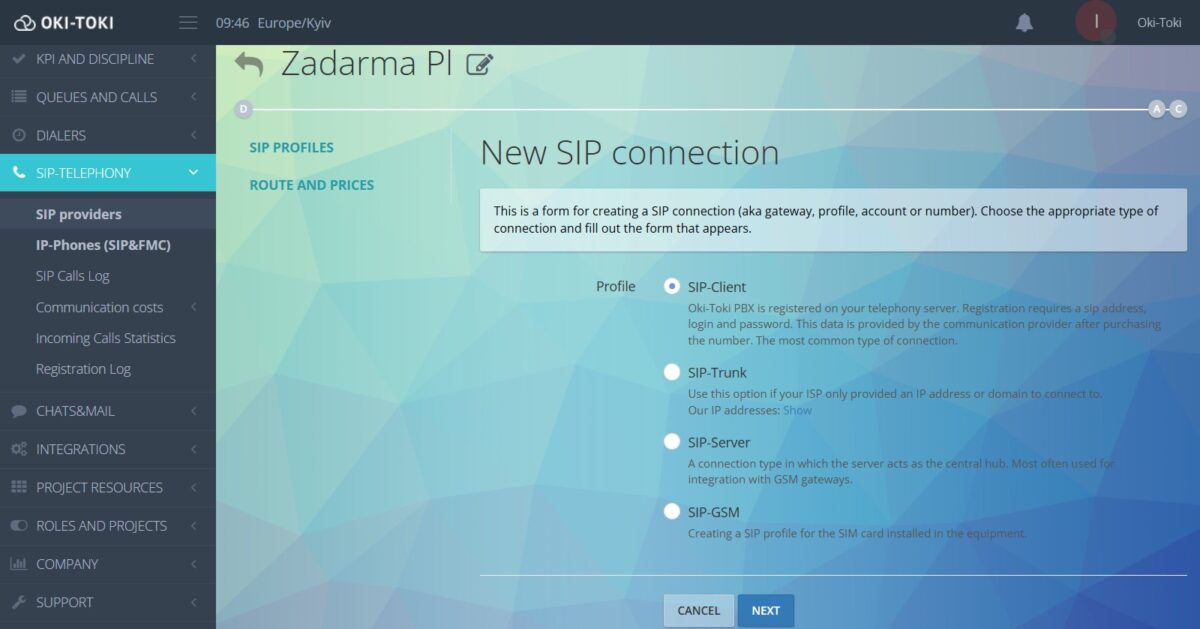
Enter the data received from the provider into the corresponding fields, check prefixes, routing, and save settings.
A detailed guide on how to connect SIP Client and SIP Trunk in separate articles.
The SIP connection will become active after saving, but sometimes registration takes up to 10 minutes. If all data is correct, the gateway tile will show “Registered” status.
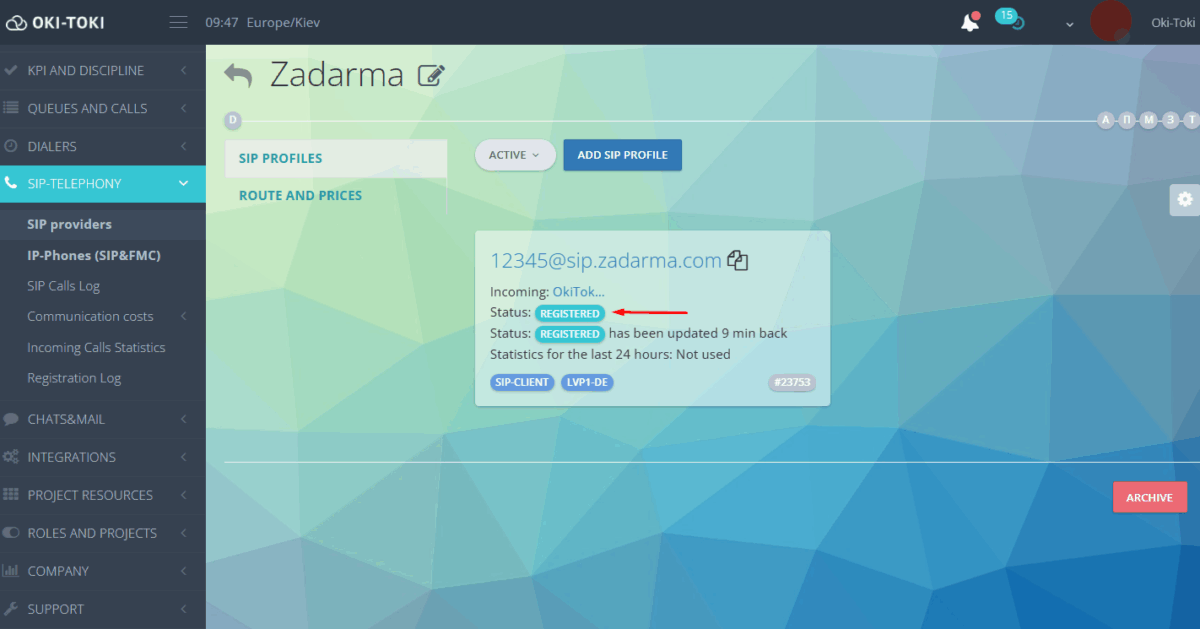
SIP Trunk does not have registration indication; to check, you need to make a test call.
How to monitor the connection?
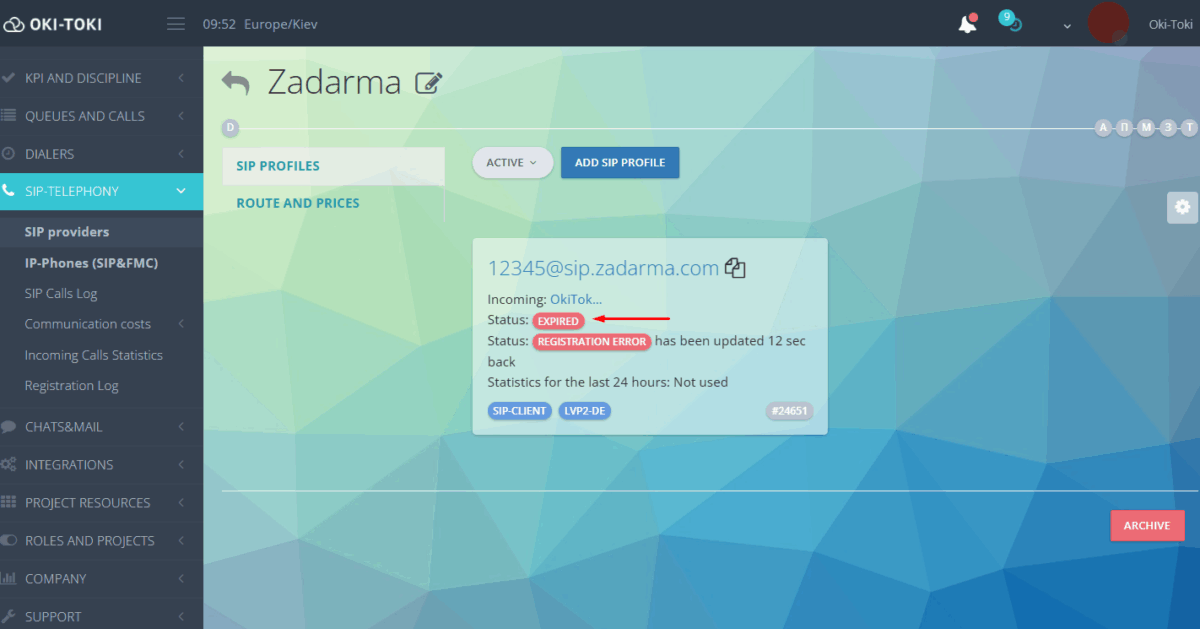
You can monitor SIP profile status in Oki-Toki in the Registration Log (not for SIP Trunk).
The report is filtered by period, server, provider, and registration result.
The report will display data:
- date and time of last registration;
- provider name and specific gateway number;
- communication node where telephony is hosted;
- registration result (success/error).
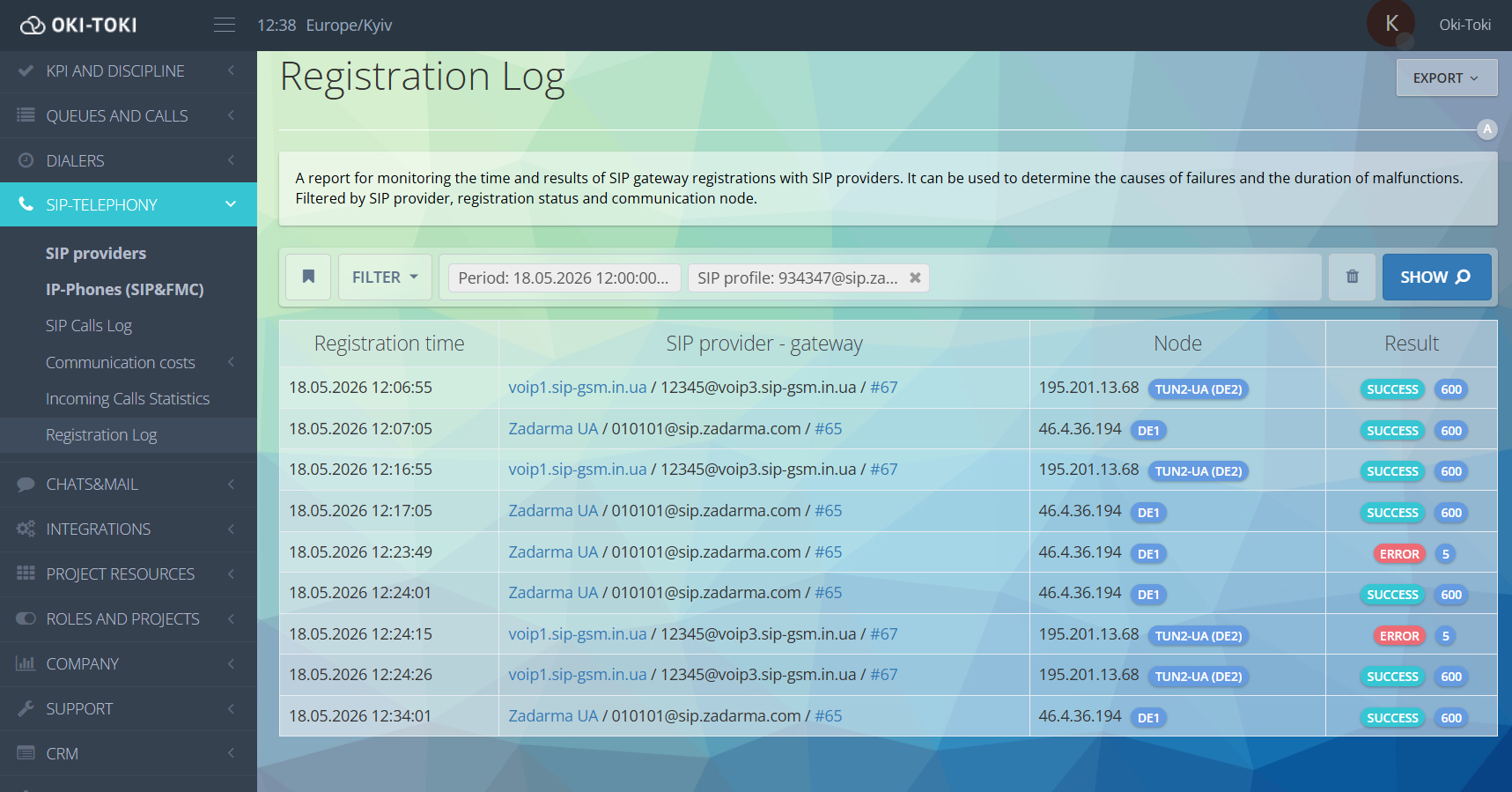
NEW! For prompt response to provider “failure,” we’ve added a new event—SIP Provider Status. If the connection receives “Expired” status, a notification about the failure is sent to an external resource.
Using the event, you can track the status of all SIP registrations or select a specific one. In trigger conditions, specify the needed gateway (one or several), and in action parameters—the notification text.
How to set up events in Oki-Toki—read in a separate article.
Monitoring SIP Trunk operation is more difficult, since this connection type lacks registration status. Therefore, problems are most often identified during call analysis.
If during verification telephony error codes appear en masse—for example SIP: 100, 403, 404, 500, 503, 603, 984, or 998—this may indicate problems on the SIP provider’s side. In this case, you need to contact the telecom provider and Oki-Toki technical support. Create a ticket describing the problem and we’ll help compose an appeal to the provider, record a dump or sngrep for details.
Practical advice from Oki-Toki
We’ve gathered recommendations that will help you choose a SIP provider and avoid technical failures when connecting.
- Choose a provider whose tariffs and geography definitely suit your business objectives.
- Connect a second (backup) provider or spare numbers so the call center doesn’t lose connectivity in case of failure.
- Use different channels for incoming calls and dialers. This protects the line from overload and numbers from spam filters.
- Make sure the provider supports quality codec, and agree on calls per second (CPS) limit for mass dialing.
- Monitor missed call statistics and call duration immediately after launch to find errors in time.
- Make test calls and selectively listen to recordings to notice sound quality deterioration in time.
With the right approach to choosing a telephony provider and convenient Oki-Toki tools, your call center will work stably and deliver the desired results.