

Need to integrate a Telegram chatbot?
How to set up Telegram notifications? In this article, we offer a brief guide on how to integrate Oki-Toki with a chatbot in the Telegram messenger.
This article pertains to the tool Oki-Toki for the IT department.
Creating a bot
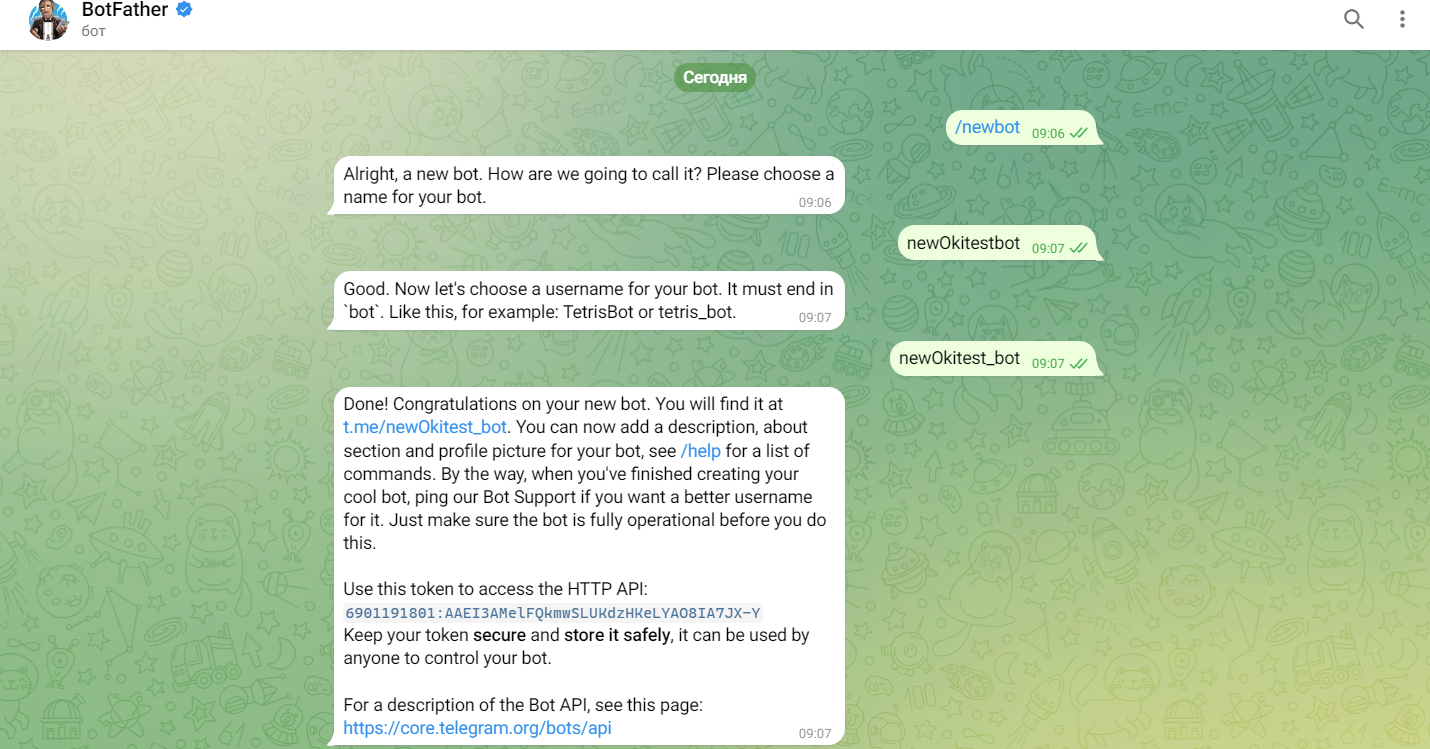
- Create a bot in Telegram through @botfather (Write @botfather in your Telegram contacts);
- Then add the created bot to a chat/group;
- Get the ID of the group where the created bot is located. For this, follow the link indicating your bot’s token, https://api.telegram.org/botYourBotToken/getUpdates and send any message to the previously created group.
Integration of Telegram chatbot
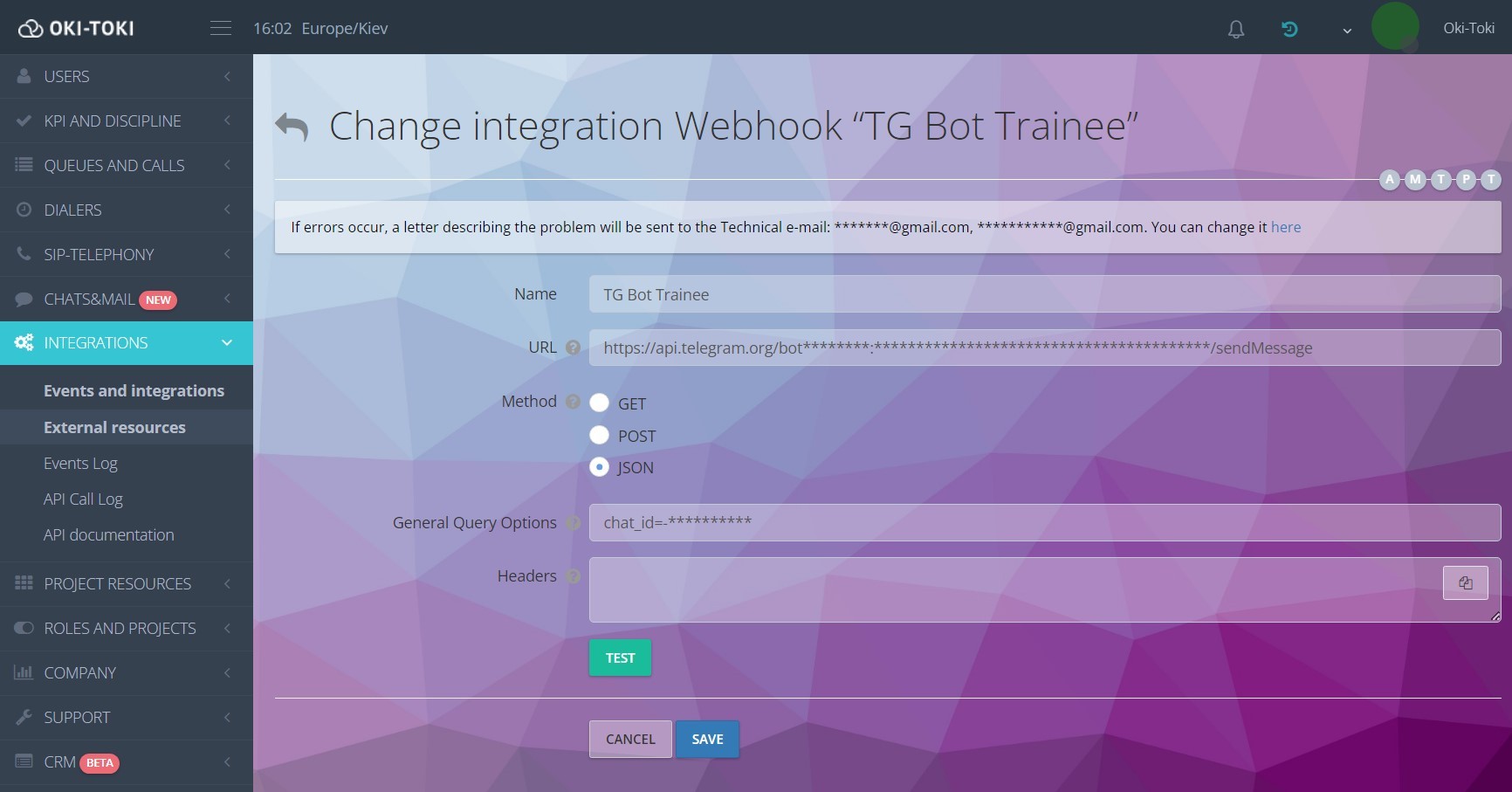
- Create a new integration in the “External resources” section;
- To send a message via the Telegram bot, use the following URL: https://api.telegram.org/botYourBotToken/sendMessage;
- To send a message to a specific Telegram group, specify the group ID in the “General request parameters” field in the form: chat_id=GroupID.
Event Setup
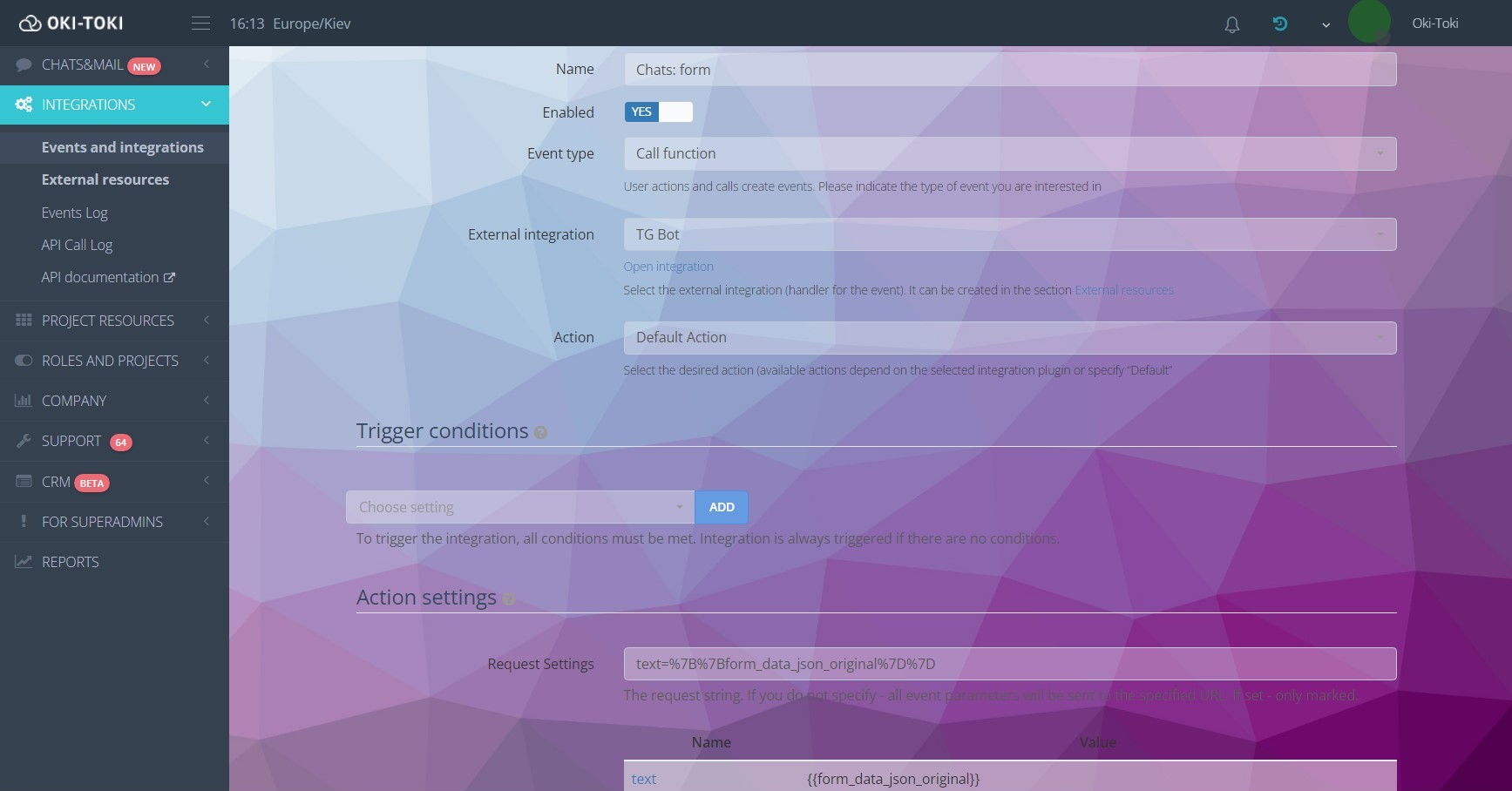
- Create a new event in the “Integrations” section;
- In the event, specify the previously created integration;
- Next, set up under what conditions the event will be triggered, for example when successfully connected with a client;
- Also, in the request parameters, specify the data that you need to receive in the chat from the bot, for example call id (Example request, {{session_id}}).
Event Log
To view events and the result of their processing, use the report “Event Log“.
In conclusion, integrating a Telegram chatbot with Oki-Toki is accessible for any company and doesn’t take much time to launch. Using this guide, you can create your own bot and set it up to receive notifications about key events in Oki-Toki.